

How to Reset Tire Pressure Light on a Nissan
Few dashboard warnings are as common (or as confusing) as a tire pressure warning. You fill your tires with air, but the light stays on. Does that mean there’s still a problem with the pressure? In many cases, the system simply needs time to recognize the corrected tire pressure or requires a reset procedure, depending on the Nissan model. Knowing why the warning appeared and how to clear it can help you drive with confidence — while making sure your tires continue performing the way they should.
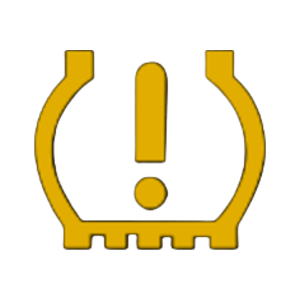
What Sets Off the Nissan Tire Pressure Warning Light
Your vehicle’s Tire Pressure Monitoring System (TPMS) constantly checks the amount of air pressure in each of your tires. If one or more tires fall below the recommended pressure, the Nissan tire pressure light illuminates. Several situations can trigger the warning, including:
Once the underlying issue is corrected, the warning often turns off after driving for several minutes. If it doesn’t, the system may need additional troubleshooting.
Check Tire Pressure Before Resetting Anything
Resetting the warning without correcting tire pressure defeats the purpose of the safety system. So start by checking every tire, including the spare if your Nissan model monitors it. Use a quality tire pressure gauge, and compare each reading to the recommended pressure listed on the driver’s door jamb sticker — not the maximum pressure printed on the tire sidewall. If a tire is still showing low pressure, add air until it gets to the recommended PSI. Recheck each tire to confirm the pressure is correct.

How to Reset the Tire Pressure Warning
The reset procedure varies slightly by model year, but these general steps work for many Nissan vehicles:
Inflate all tires to recommended PSI.
Set ignition to “ON” (Don’t start engine).
Hold TPMS reset button until light blinks.
Drive for 10-20 minutes at normal speeds.
Confirm the warning light turns off.
Where Is the Reset Button?
Many drivers search for the Nissan TPMS reset button location, only to discover that not every Nissan has one. Depending on the model, it may be found beneath the steering wheel, near the driver’s side lower dashboard, or hidden behind a trim panel. But many recent Nissan vehicles perform the reset automatically after the tires are properly inflated and the vehicle has been driven for a short period.
Simple Tire Care Helps Prevent Future Warnings
Keep Your Nissan Driving With Confidence
If you’ve corrected the tire pressure but the warning still won’t clear, professional service can quickly find the cause. Our service team at Nissan Lake Country can perform a Nissan tire maintenance light reset when needed — and make sure your vehicle’s tire monitoring system is working properly.

0 comment(s) so far on How to Reset Tire Pressure Light on a Nissan